
The rapid acceleration of technological innovation has resulted in a significant global challenge: the management of electronic waste, or e-waste. As of early 2026, the lifespan of the average consumer laptop has stabilized at approximately three to five years, leading to a continuous cycle of replacement and disposal. While the initial impulse for many consumers when a device "conks out" is to seek a replacement, environmental experts and data security professionals emphasize that the end-of-life process for a computer requires a sophisticated approach involving repair, data sanitization, and responsible recycling. Understanding the lifecycle of these devices is no longer merely an environmental preference but a necessity for global sustainability and personal information security.
The Global Context of Electronic Waste
Electronic waste is currently categorized as the fastest-growing municipal waste stream in the world. According to data from the Global E-waste Monitor, the world generates over 50 million metric tons of e-waste annually, a figure that is projected to rise as more sectors of the global economy become digitized. Computers, including both desktops and laptops, represent a significant portion of this volume. Unlike organic waste or simple plastics, computers are complex assemblies of hundreds of different materials, many of which are hazardous, while others are immensely valuable.
The environmental impetus for recycling is rooted in the prevention of toxic leakage. Computers contain a variety of heavy metals and carcinogens, including lead, mercury, cadmium, and brominated flame retardants. When these devices are relegated to landfills, these substances can leach into the soil and groundwater, posing severe risks to local ecosystems and human health. Conversely, computers are "urban mines." They contain precious metals such as gold, silver, copper, and palladium, as well as rare earth elements that are energy-intensive and environmentally damaging to mine from the earth. The recycling of one million laptops is estimated by the Environmental Protection Agency (EPA) to save enough energy to power approximately 3,500 United States homes for an entire year.
The Chronology of Responsible Disposal
The process of retiring a computer follows a specific chronology designed to maximize the device’s utility and minimize its risk profile. This timeline begins long before the device reaches a recycling center.
Phase 1: Exhausting Repair Options and Fighting Obsolescence
Before a device is designated for recycling, the most sustainable path is repair or refurbishment. The "Right to Repair" movement has gained significant legislative ground in recent years, forcing manufacturers to provide better access to parts and manuals. Experts suggest that common issues, such as failing batteries, corrupted operating systems, or damaged screens, can often be addressed at a fraction of the cost of a new machine. Extending the life of a computer by even two years significantly reduces its total carbon footprint.
Phase 2: Data Sanitization and Security
If a computer is deemed beyond repair, the most critical step for the owner is data sanitization. A computer’s hard drive contains a digital footprint of the user’s life, including financial records, saved passwords, and private communications. Simple deletion or "emptying the trash" is insufficient. When a file is deleted, the operating system merely removes the pointer to that data and marks the space as available for overwriting. Until new data is written over that space, the original information remains recoverable using basic forensic software.
Professional standards for data destruction include:
- Full Backups: Ensuring all necessary data is migrated to a new device or cloud storage.
- Account De-authorization: Signing out of cloud services (iCloud, OneDrive) and de-authorizing software licenses.
- Drive Wiping: Utilizing "factory reset" functions or specialized software that overwrites the entire drive with random patterns of bits multiple times.
- Physical Destruction: For high-security data, the physical removal and destruction of the hard drive or Solid State Drive (SSD) is the only guaranteed method of prevention against data recovery.
Phase 3: Selection of a Certified Recycler
The final stage is the physical transfer of the device to a recycling entity. It is vital to distinguish between general scrap yards and certified e-waste recyclers.
Industry Standards and Official Responses
The recycling industry has developed rigorous certifications to ensure that e-waste is handled ethically and safely. Two primary certifications to look for are R2 (Responsible Recycling) and e-Stewards. These standards guarantee that the recycler does not export hazardous waste to developing nations, where it is often processed in unsafe conditions, and that they adhere to strict data security protocols.
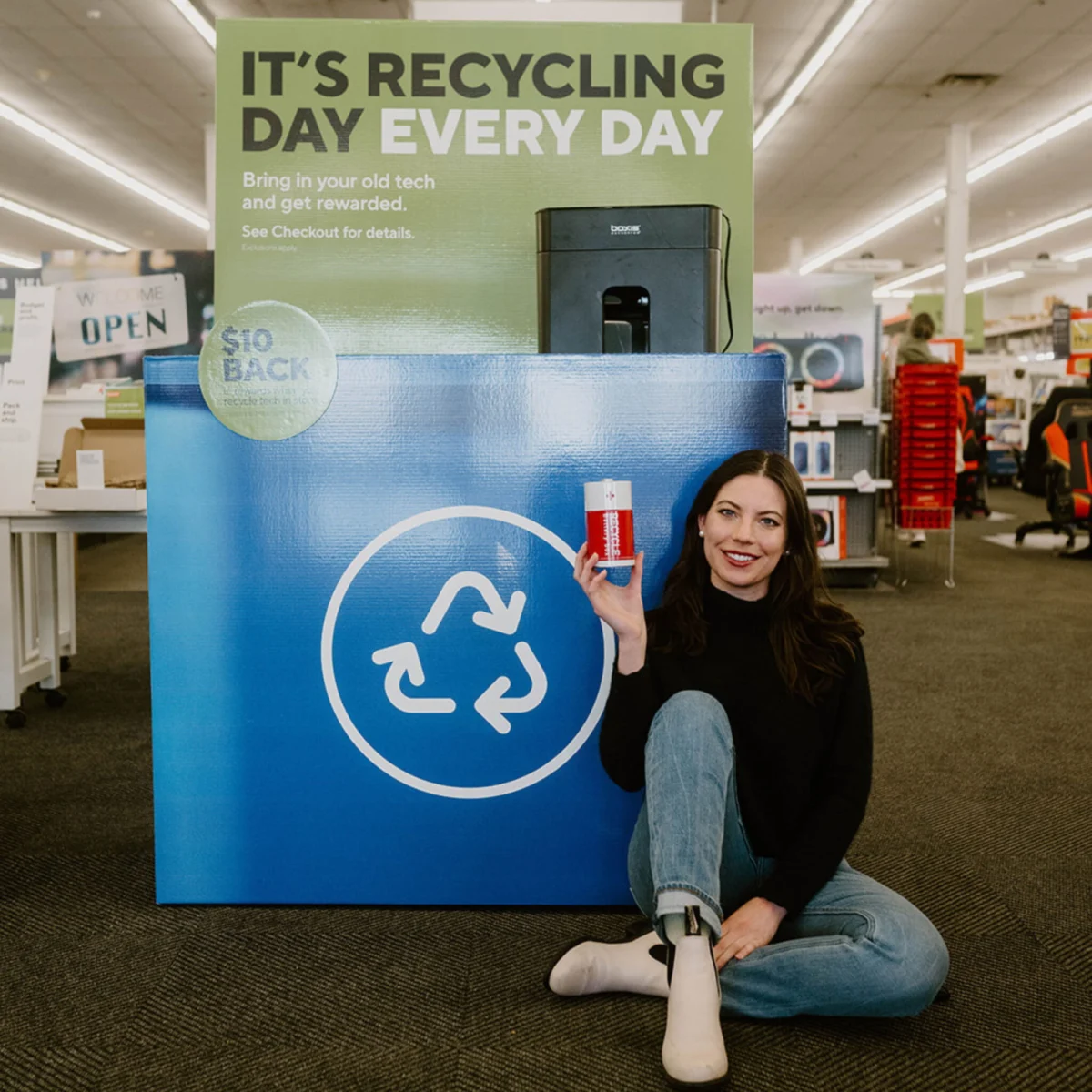
Major technology corporations and retailers have established robust "take-back" programs to facilitate responsible disposal. These programs often serve as the primary infrastructure for consumer e-waste management:
- Best Buy: As one of the largest retail recyclers, Best Buy accepts a wide range of electronics regardless of where they were purchased. While they provide comprehensive resources on how consumers should wipe their own drives, their official policy emphasizes that the responsibility for data removal lies with the consumer prior to drop-off.
- Staples: Similar to Best Buy, Staples offers recycling services for computers, monitors, and peripherals, often providing store credit or incentives for certain types of hardware.
- Manufacturer Programs (Apple, Dell, HP): Most major manufacturers offer mail-in programs. Dell, for instance, has partnered with Goodwill through the "Dell Reconnect" program, which focuses on refurbishing usable technology for community use and recycling the rest. Apple’s "Trade In" program allows users to receive credit for newer devices or recycle older ones for free, focusing on the recovery of materials like cobalt and lithium for use in new batteries.
Supporting Data: The Economic and Material Impact
The economic argument for computer recycling is as compelling as the environmental one. The concentration of precious metals in electronic circuit boards is significantly higher than in raw ore. For example, one metric ton of circuit boards can contain between 40 to 800 times the amount of gold found in one metric ton of gold ore.
Furthermore, the energy savings are substantial. Producing a computer requires significant amounts of fossil fuels and water. By recycling, the industry avoids the "embodied energy" costs associated with primary extraction. The EPA notes that for every million cell phones recycled, we can recover 35,274 pounds of copper, 772 pounds of silver, 75 pounds of gold, and 33 pounds of palladium. While computers are larger and contain different ratios of these materials, the scale of recovery is even more significant per unit.
Broader Implications and Future Outlook
The shift toward a "circular economy" in the technology sector represents a fundamental change in how products are designed and disposed of. In a circular economy, the end-of-life phase is considered during the initial design, leading to modular computers that are easier to disassemble and recycle.
However, the burden of responsibility remains shared between the manufacturer, the legislator, and the consumer. Legislative bodies in various jurisdictions are increasingly implementing "Extended Producer Responsibility" (EPR) laws. These laws require manufacturers to fund and manage the recycling programs for the products they sell, internalizing the environmental costs of the hardware.

From a security perspective, the implications of improper disposal are severe. Data breaches originating from discarded hardware can lead to identity theft, corporate espionage, and significant reputational damage. As cyber-forensics become more sophisticated, the "wipe and destroy" protocol for hard drives is becoming the standard recommendation for even the casual home user.
Conclusion: The Path Forward
Recycling a computer is a multi-faceted process that requires more than just a trip to the bin. It is a critical intervention in a global waste crisis and a necessary step in personal data protection. By choosing to repair first, sanitizing data thoroughly, and utilizing certified recycling streams, consumers contribute to a system that protects the environment, recovers valuable resources, and maintains the integrity of the digital landscape. As we look toward the 2030s, the integration of technology into every aspect of human life ensures that the responsible management of that technology’s "afterlife" will remain a top priority for global sustainability.